
Emerald Timestamp2.3.6 - App Store
You'll be able to see results in few seconds.
Publisher Description
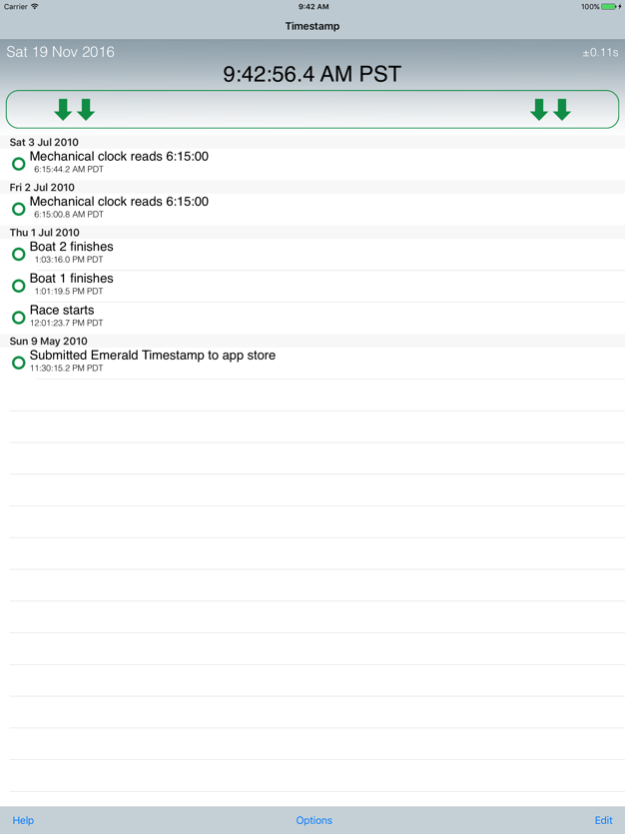
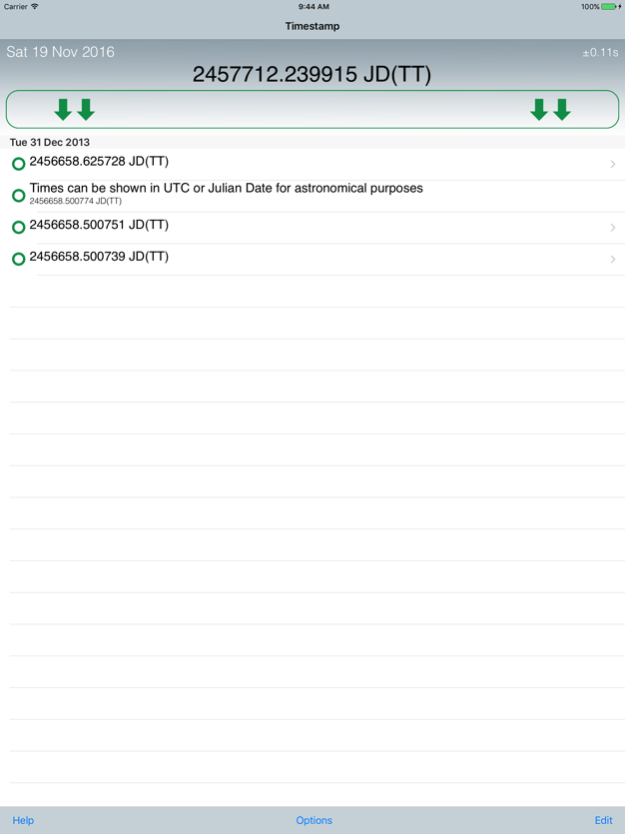
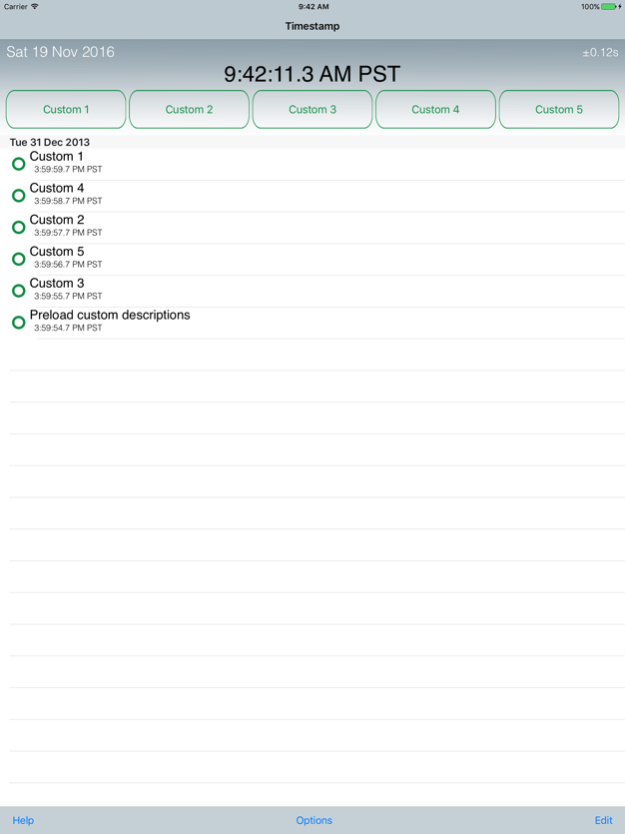
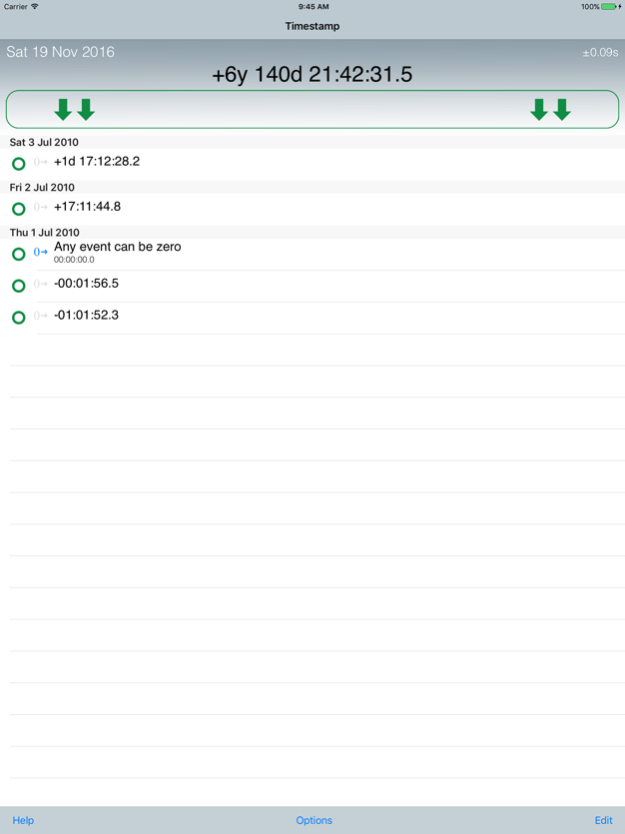
Emerald Timestamp captures the precise time of events, and lets you associate a description with each one. It is also a highly-accurate running clock.
Very high precision:
- Uses atomic clocks via NTP, usually accurate to within 0.2 second
- Color coding (yellow and green) makes it obvious when you have a valid synchronization
- The network is required for synchronization, but you can record events without it with less accuracy
- When the app restarts, it uses the previous synchronization offset until the first sync comes in
- Version 2.0 and above display leap seconds in progress
Events are grouped by day in a scrolling list
- Record as many events as you like
- Add a description to any or all events
- Create multiple buttons with custom names to predefine event descriptions
- Easily show the difference in time between any two events
Easily cycle between time representations by tapping on a time in the display:
- Local 12-hour time
- Local 24-hour time
- UTC (aka GMT)
- Julian Date (JD) (settable globally to JD(TT) or JD(UTC))
- Interval from a reference time (using any event as a zero reference)
There is also a running clock at the top of the display showing the time in the chosen format.
You can use a hardware keyboard (such as the iPad Pro's Smart Keyboard) to trigger events using the space bar, enter key, or digits 1 through 0. [NOTE: if the keyboard is a bluetooth keyboard (unlike the Smart Keyboard which is direct connect) there will be a slight delay between the keyboard press and the time the app records.]
Email the time and description of an event, or all events (uses your device's email program), optionally using TSV or CSV for spreadsheets.
A complete description of each application feature can be found in the built-in Help screens and on the Emerald Sequoia LLC Web Site. A developer's blog may also be found at http://emeraldsequoia.com/esblog/ .
All date displays are localized, though the interface and Help are in English only.
If you are having any trouble with the application whatsoever, please see our FAQ on the support page listed below and then contact us through that page if your problem is not resolved. We take pride in responding promptly to all support email requests.
(NTP time synchronization requires network access. Like all other iOS apps, Emerald Timestamp cannot set the device's internal clock.)
Aug 7, 2023
Version 2.3.6
Warning message at startup.
About Emerald Timestamp
The company that develops Emerald Timestamp is Emerald Sequoia LLC. The latest version released by its developer is 2.3.6.
To install Emerald Timestamp on your iOS device, just click the green Continue To App button above to start the installation process. The app is listed on our website since 2023-08-07 and was downloaded 0 times. We have already checked if the download link is safe, however for your own protection we recommend that you scan the downloaded app with your antivirus. Your antivirus may detect the Emerald Timestamp as malware if the download link is broken.
How to install Emerald Timestamp on your iOS device:
- Click on the Continue To App button on our website. This will redirect you to the App Store.
- Once the Emerald Timestamp is shown in the iTunes listing of your iOS device, you can start its download and installation. Tap on the GET button to the right of the app to start downloading it.
- If you are not logged-in the iOS appstore app, you'll be prompted for your your Apple ID and/or password.
- After Emerald Timestamp is downloaded, you'll see an INSTALL button to the right. Tap on it to start the actual installation of the iOS app.
- Once installation is finished you can tap on the OPEN button to start it. Its icon will also be added to your device home screen.
Program Details
System requirements
Download information
Pricing
Version History
version 2.3.6
posted on 2023-08-07
Aug 7, 2023
Version 2.3.6
Warning message at startup.
version 2.3.5
posted on 2022-03-24
Mar 24, 2022 Version 2.3.5
Support for iOS 15.3
version 2.3.4
posted on 2021-10-21
Oct 21, 2021 Version 2.3.4
Support for iOS 15
version 2.3.3
posted on 2021-02-19
19 Feb 2021 Version 2.3.3
More elegant dark mode appearance
version 2.3.3
posted on 2021-02-19
Feb 19, 2021 Version 2.3.3
More elegant dark mode appearance
version 2.3.1
posted on 2021-02-16
Feb 16, 2021 Version 2.3.1
Update for iOS 14
version 2.2.1
posted on 2018-09-17
Sep 17, 2018 Version 2.2.1
- Support for iPhone X
- Miscellaneous bug fixes
version 2.1.1
posted on 2010-05-17
version 2.2.1
posted on 1970-01-01
١٧ سبتمبر ٢٠١٨ Version 2.2.1
- Support for iPhone X
- Miscellaneous bug fixes
version 2.2.1
posted on 1970-01-01
2018年9月17日 Version 2.2.1
- Support for iPhone X
- Miscellaneous bug fixes
Disclaimer
Official App Store Link
We do not host Emerald Timestamp on our servers. We did not scan it for viruses, adware, spyware or other type of malware. This app is hosted by Apple and passed their terms and conditions to be listed there. We recommend caution when installing it.
The App Store link for Emerald Timestamp is provided to you by apps112.com without any warranties, representations or guarantees of any kind, so access it at your own risk.
If you have questions regarding this particular app contact the publisher directly. For questions about the functionalities of apps112.com contact us.
